部署Collabora Office需运行Docker容器并禁用HTTPS,配置Nextcloud连接。注意使用IP地址而非localhost,并设置domain参数以支持外网访问。
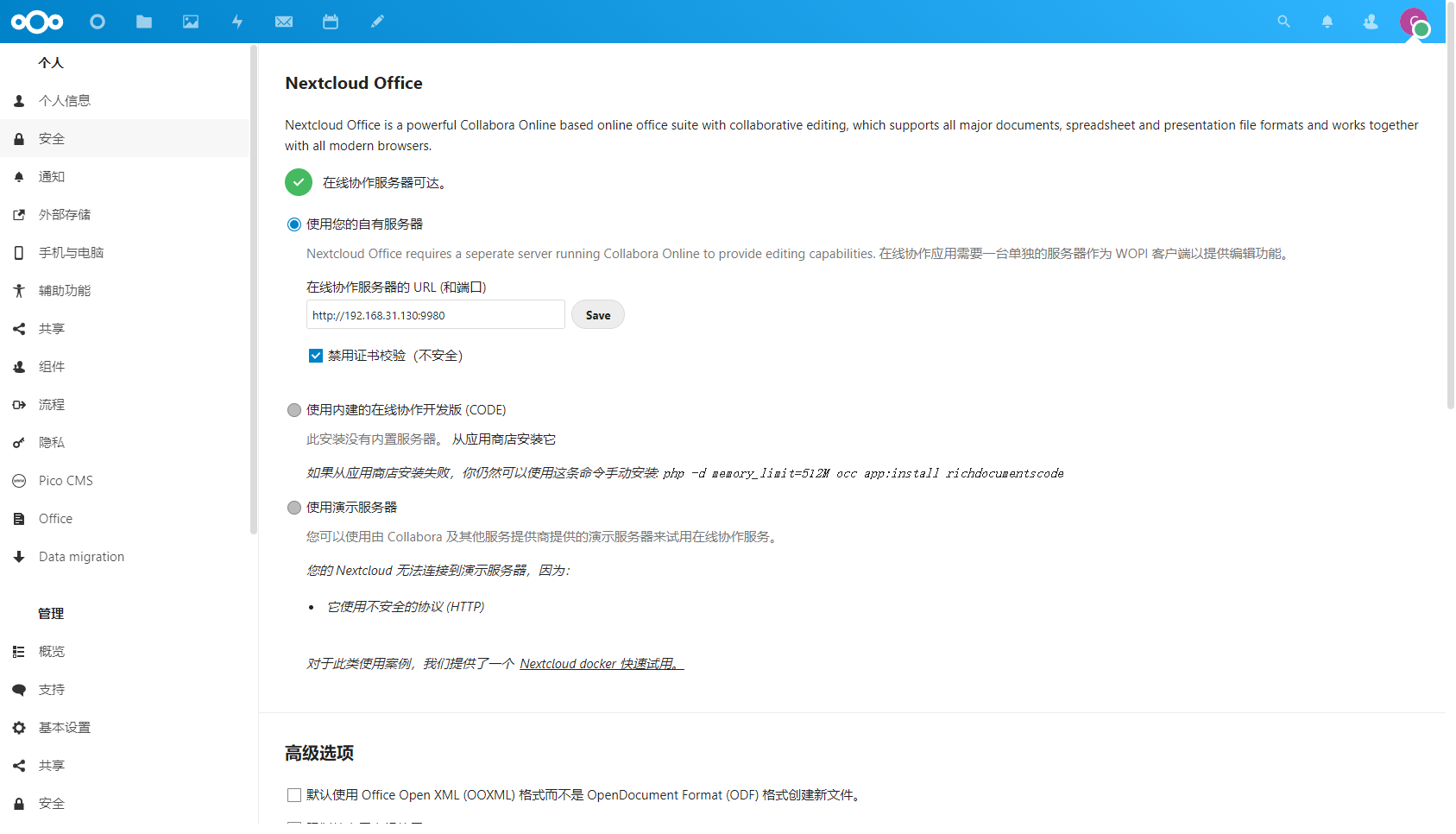
运行Collabora Office docker容器,并去掉https验证
docker run -t -d -p 9980:9980 --name collabora -e "extra_params=--o:ssl.enable=false" collabora/code2、nextcloud 下载Collabora Office,并配置Collabora Office
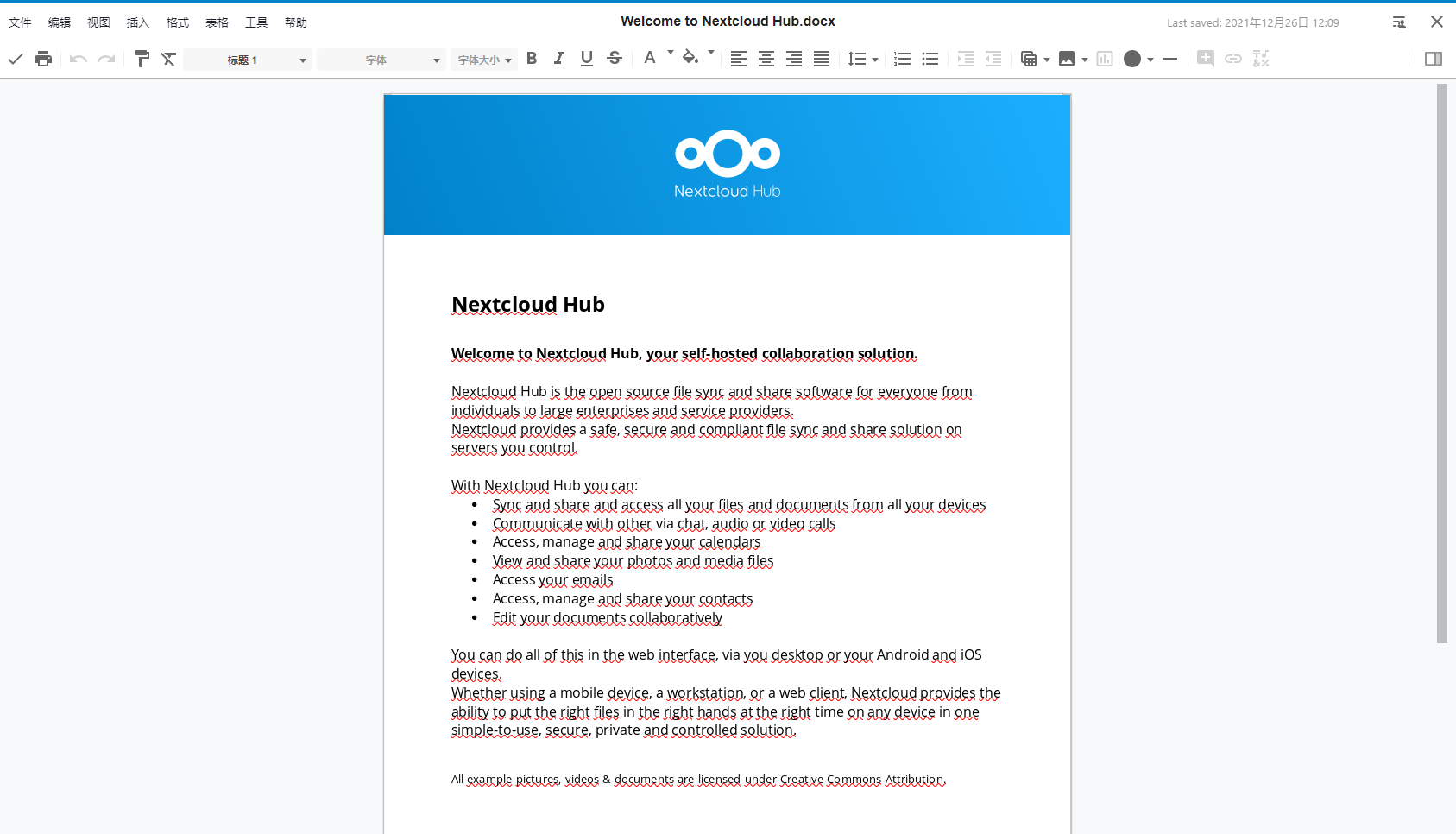
3、效果
4、设置外网访问Collabora Office
docker 需要加上'domain=47.98.182.185|192.168.31.68|192.168.31.130'
说明Windows 的 CMD会报错
得用Windows powershell
就是因为这个公网一直不能用,只能在内网使用'domain=127.0.0.1|www.baidu.com'Collabora Office。公网一直不能用。
5、Collabora Office的控制台
http://127.0.0.1:9980/browser/dist/admin/admin.html
Quick tryout with Nextcloud docker
Learn all the ins and outs of CODE
You can try CODE in 5 minutes with Nextcloud following these basic steps:
- Find out the IP address of your computer, e.g. 192.168.100.20
- Run Nextcloud from docker:
docker run -d -p 80:80 nextcloud - In your browser go to http://192.168.100.20 and set up your Nextcloud.
- In Nextcloud go to Apps – Office and Text, and install Collabora Online app.
- Run CODE from docker:
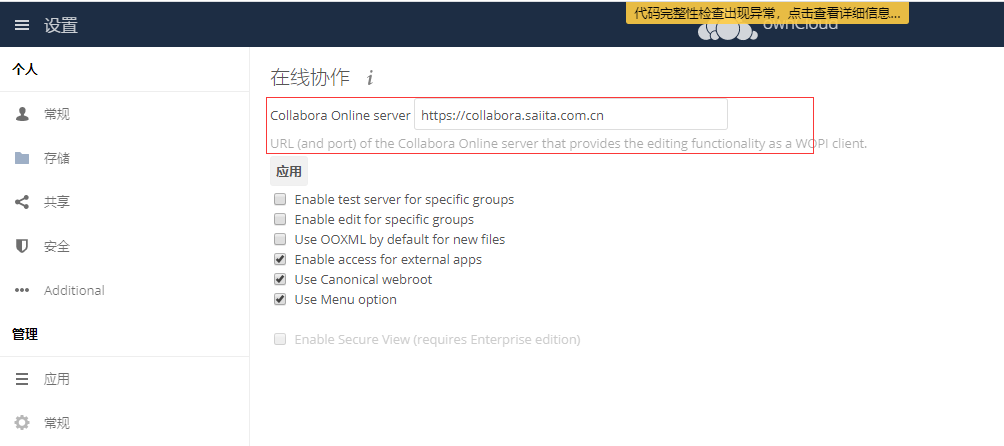
docker run -t -d -p 9980:9980 -e "extra_params=--o:ssl.enable=false" collabora/code - Set up the Collabora Online server in Nextcloud Settings – Collabora Online to http://192.168.100.20:9980
Note 1: Of course, this is only good for a quick look at the features, it is not for production by any means.
Note 2: Do not use localhost or 127.0.0.1 instead of IP address of your computer, because these addresses do not resolve from the containers. This means not only not using it for the address of Collabora Online configured in Nextcloud, but also for the URL you connect to in the browser to test.







暂无评论
要发表评论,您必须先 登录