AI摘要
本文介绍了在Ubuntu系统上部署NextCloud私有云服务的完整步骤。首先安装PHP7.4及相关组件,下载并解压NextCloud,设置数据目录权限。接着配置Nginx作为Web服务器,处理PHP请求。然后安装MySQL数据库,进行安全设置并创建NextCloud所需数据库。最后通过浏览器访问服务器IP完成安装。
1、PHP安装
sudo apt-get install php7.4-*2、下载NextCloud,并解压
下载nextcloud,解压。
创建data文件夹,并设置 777
设置 nextcloud 用户组合用户为 www-data
cd /home
wget https://download.nextcloud.com/server/releases/nextcloud-33.0.0.tar.bz2
tar xvf nextcloud-24.0.1.tar.bz2
cd /home
mkdir data
chown 777 data
cd ..
chown -R www-data:www-data  /mnt/256G/docker/nextcloud/
3、Nginx配置
按照下面文章配置,把下面的配置项放到nextcloud文件下面
# nextcloud Nginx配置
server {
	listen 80 default_server;
	listen [::]:80 default_server;

	# SSL configuration
	#
	# listen 443 ssl default_server;
	# listen [::]:443 ssl default_server;
	#
	# Note: You should disable gzip for SSL traffic.
	# See: https://bugs.debian.org/773332
	#
	# Read up on ssl_ciphers to ensure a secure configuration.
	# See: https://bugs.debian.org/765782
	#
	# Self signed certs generated by the ssl-cert package
	# Don't use them in a production server!
	#
	# include snippets/snakeoil.conf;

	root /home/nextcloud;

	# Add index.php to the list if you are using PHP
	index  *.php;

	server_name _;

	location / {
		# First attempt to serve request as file, then
		# as directory, then fall back to displaying a 404.
		try_files $uri $uri/ =404;
	}

	# pass PHP scripts to FastCGI server
	#
	location ~ .php$ {
		include snippets/fastcgi-php.conf;
	#
	#	# With php-fpm (or other unix sockets):
	#	fastcgi_pass unix:/run/php/php7.4-fpm.sock;
	#	# With php-cgi (or other tcp sockets):
	#	fastcgi_pass 127.0.0.1:9000;
	fastcgi_split_path_info ^(.+.php)(.*)$;
	fastcgi_param PATH_INFO $fastcgi_path_info;
	fastcgi_pass unix:/run/php/php7.4-fpm.sock;
			}

	# deny access to .htaccess files, if Apache's document root
	# concurs with nginx's one
	#
	#location ~ /.ht {
	#	deny all;
	#}
}
4、MySQL
sudo apt-get install mysql*登录MySQL
sudo mysql -u root -p注释掉sudo vim /etc/msyql/mariadb.conf.d/50-server.cnf 配置文件的bind-address =127.0.0.1
重启MySQL
sudo service mysql restartMySQL工具登录,创建nextcloud数据库
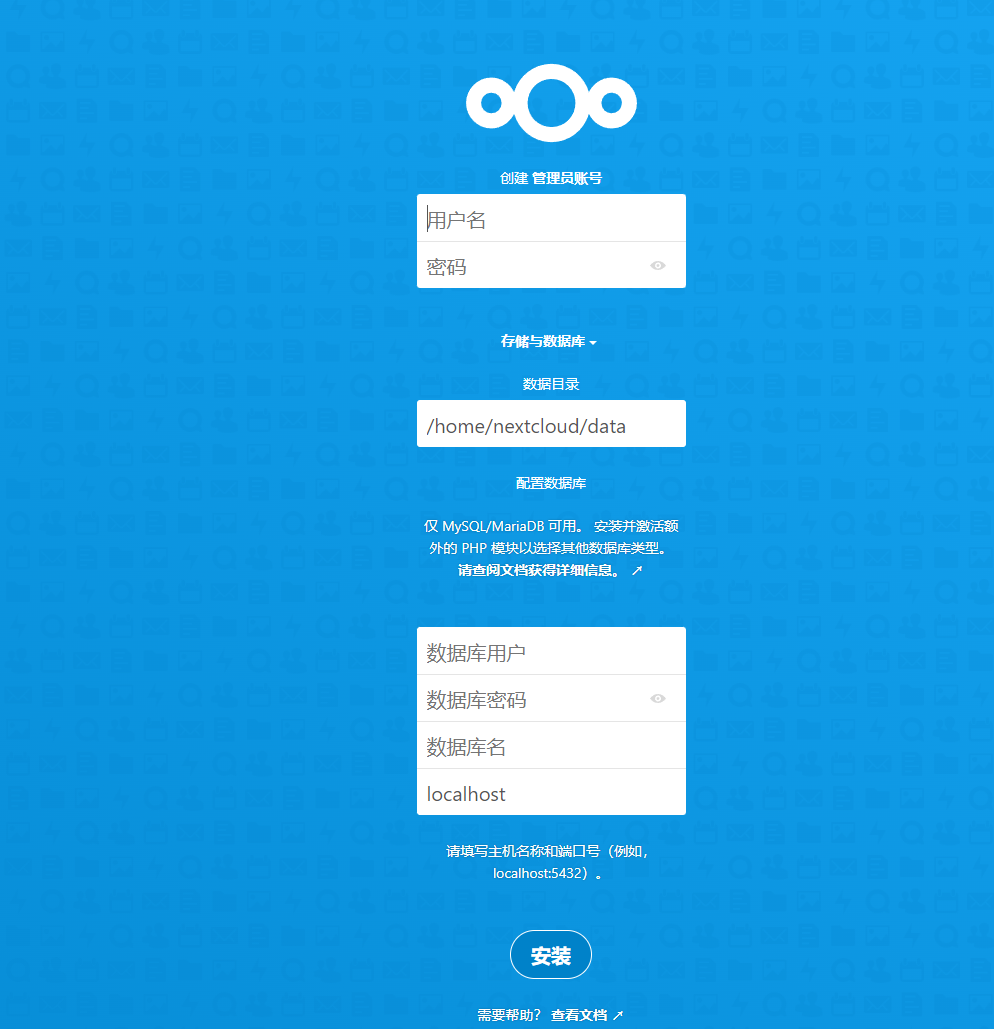
5、浏览器输入nextcloud服务器IP







暂无评论
要发表评论,您必须先 登录